
# Quotas
# Azure Managed PostgreSQL Flexible Server
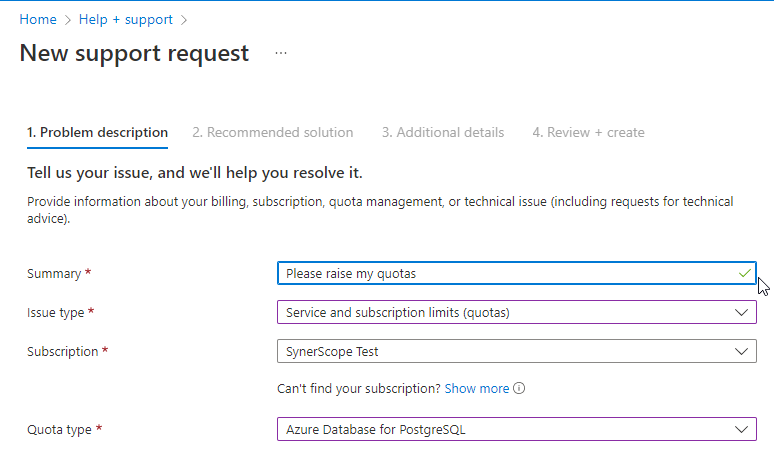
In case a preflight check fails for Azure Managed PostgreSQL Flexible Server a quota needs to be raised. In the Azure portal go to "Help + support" to create a support ticket. Provide a name for the issue and choose for "Issue type" the type "Service and subscription limits (quotas)". Choose your subscription used for the Ixivault deployment and select for "Quota type" the resource type "Azure Database for PostgreSQL". Click "Next".
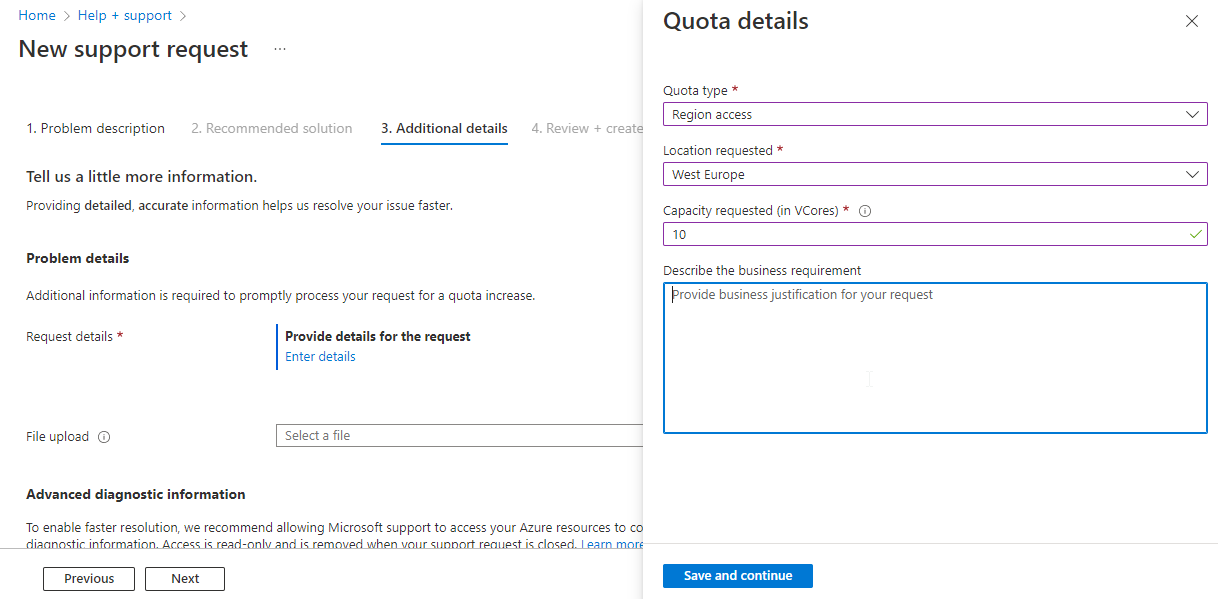
In the next screen in the "Request details", click on "Enter details". Fill out for "Quota type" the value "Region access", select the region that is going to be used for Ixivault and choose 10 vcores. Add a business justification in the last field. Click on "Save and continue".
Finally, fill out the "Support method" and "Contact info" and submit the support ticket. Depending on the support method it takes up to a day before an Azure support agent provides initial feedback.
# Azure Batch
In case an increase of a quota is required, Ixivault will send a notification that it cannot change its scaling size due to a quota constraint. Azure Batch quotas are administered per Batch Account. Go in the Managed Resource group of the Managed Application to the Azure Batch service, named (prefix)(random_characters)batch, and click on "Quotas".
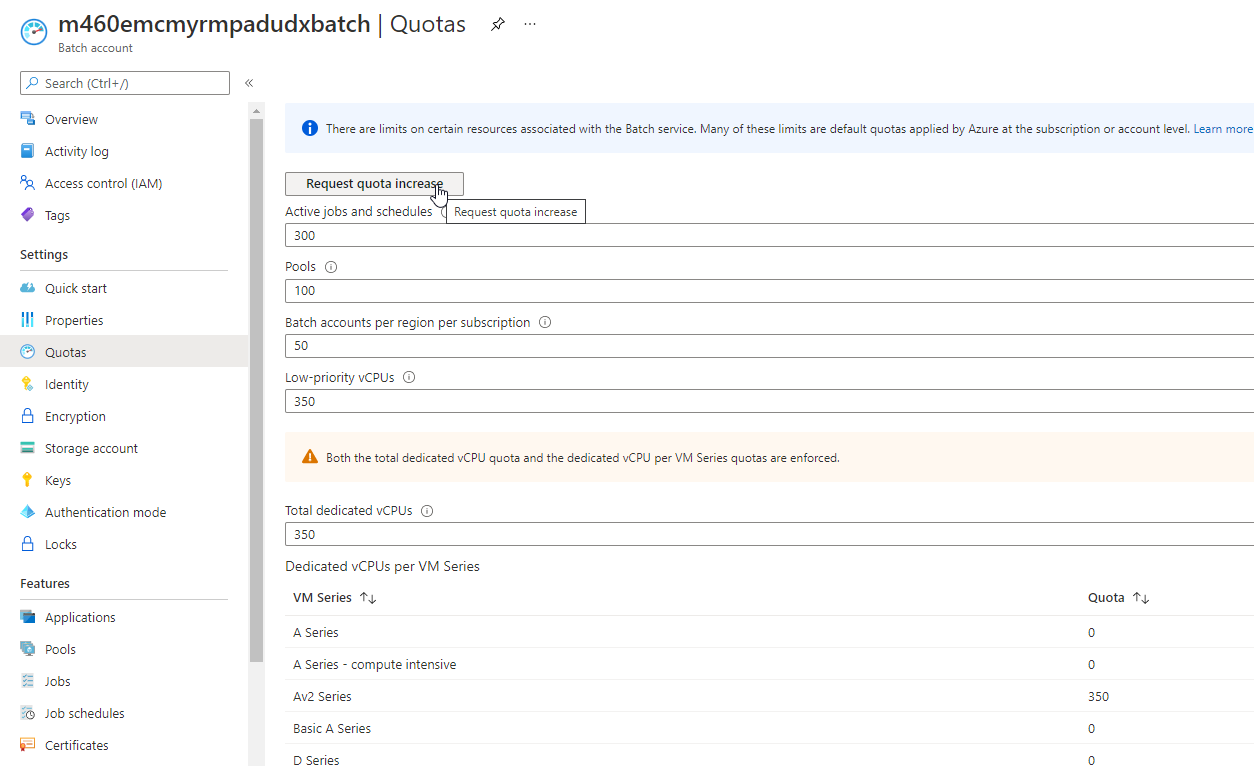
Click on "Request quota increase", fill out the basics with as quota type "Batch". In the request choose the current Batch account name, and request in the region deployed for the following VM series to be increased:
- Av2 Series: 300
- Ev3 Series: 100
- FSv2 Series: 100
Also increase the quota for "Batch accounts per region per subscription", which should be at least 3. Check if the number of pools is at least 30.
Finally, check and increase if needed that the VM quota for the subscription in the region has a matching quota with the list above.