
# Create new service principal
TIP
Open notepad to quickly copy and paste values for secrets and app registration object IDs.
- When clicking the "Change selection" a new panel should open on the right side of your screen.
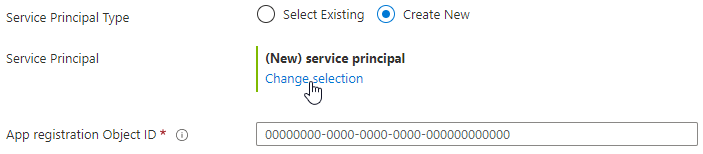
For the name we suggest you provide something that makes it easy to identify later on.
E.g. 'Ixivault' followed by the principal slot; 'RestAPI', 'UserInterface', 'DataIntegration', and 'CustomJobs'.We're creating a single tenant application, select this option under "Supported account types".
The result should be similar to this:
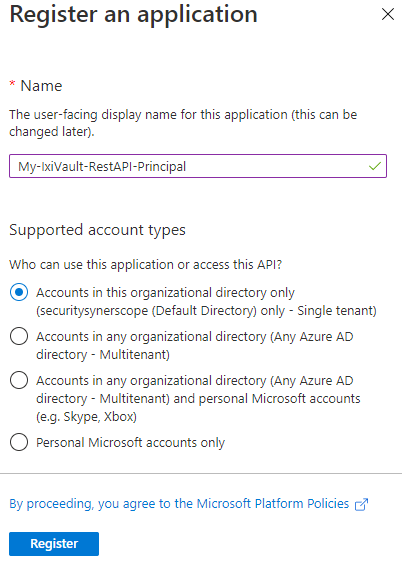
Press the "Register"-button.
The registration will be created, which takes a couple of seconds and you'll be redirected to the newly created app registration service principal.
Navigate to the "Certificates & secrets" tab under the "Manage" section.
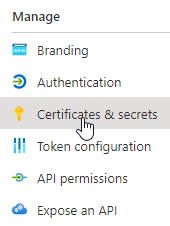
create a New client secret, provide it with a descriptive name and set the expiration time. In this example we've selected 24 months.
TIP
Write down the expiration date if you want to later mark this in your (work) calendar.
Make sure you copy the value of your secret into your notepad.
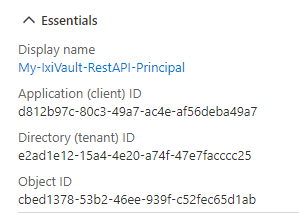
Once you copied and pasted the secret, navigate to the "Overview" tab of the app registration service principal.
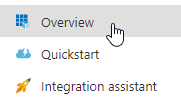
- From this overview we'll copy the Object ID. Save it along with the secret.
Press the cross icon in the top right to close this Overview and return to the Marketplace installation.
Repeat these above steps for the remaining principal slots.