
# Frequently Asked Questions
# Known deployment issues
Despite that the deployment of the managed application succeeds, it still may be the case that the deployment is failed. In the Managed application resource, go to "Parameters and Outputs":
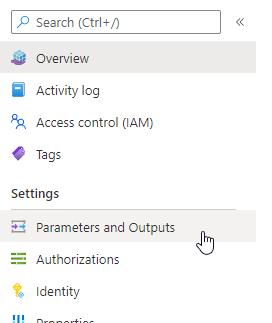
At the bottom of the page the section "Outputs", show additional errors under "ixivaultError"

In the following section the most common issues are listed with their solution to resolve.
# App registration issues
- "Invalid App registration Object ID provided for the app registration.": The Object ID is not set correctly. The right GUID is found under "Object ID" in the app registration in the Azure Active Directory. Most likely the GUID is not copied and pasted correctly; either it is incomplete or from another app registration.
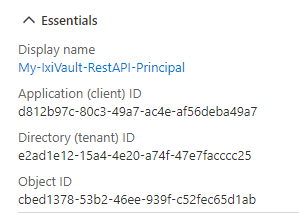
- "Invalid App registration password provided for the app registration.": The password field is not provided with the secret created in the app registration. Most likely this is also a copy and paste issue.
# VNET issues
"The CIDR X.X.X.X/X for the VNET address space does not match the subnets": One or more of the subnets has a larger space than the vnet definition.
"*The following CIDRs of subnets conflict in the VNET definition: X.X.X.X/X *": One or more of the subnets overlap. The Vnet definition should be large enough to include all subnets and the subnets themselves should not overlap.
# Cross-tenant issues
- "Errors containing tenant ID 55f8fe84-10a0-4651-8958-cbf7267cc13b": We have experienced that on rare occasions the managed application is not set up correctly in time by Azure. This results in issues regarding mismatching tenant IDs. The solution to resolve this is to create a new deployment.
# Azure service issues
Note that the managed application is deployed by Azure, using a set of Azure resources. These services may have issues themselves causing the deployment of Ixivault to fail. Check the Azure Status (opens new window) page for issues with Azure services in the region where you deploy.
# Other ways of troubleshooting
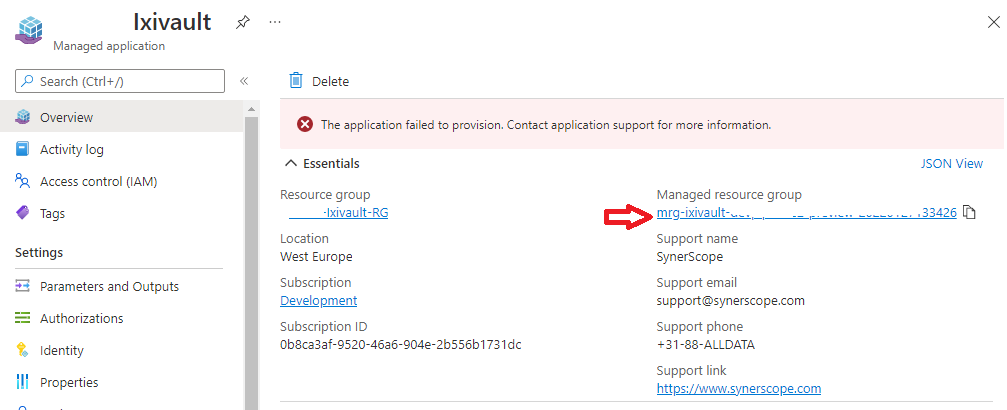
There is a more in-depth route for troubleshooting. Go in the managed application to the "managed resource group".
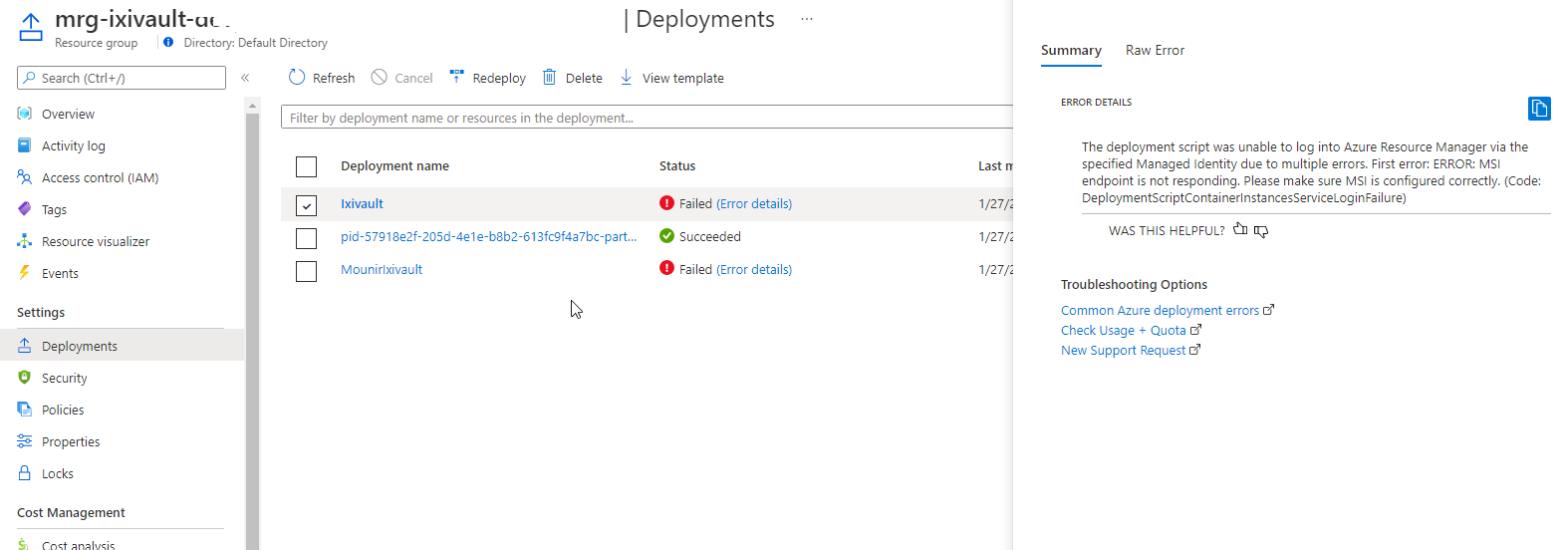
Click on "Deployments". The error of the deployment may show other hints for the issue at hand.
# SynerScope Support
In case of deployment issues, feel free to reach out to the SynerScope Support Team (opens new window). Add any error message that you see so that we can help you out quickly.