
# Customer managed encryption keys integration
Ixivault can be configured to use customer managed encryption keys (CMK). When an additional keyvault is provided, you will get ownership of encryption keys that cannot be used by the cloud provider. Ixivault generates the keys and configures the Azure resources that store and process data. Currently storage accounts, Azure Batch, PostgreSQL managed database and service bus (when VNET is enabled) are configured with CMK. A Keyvault that is hosted in a vnet is not supported (yet).
The only moment that CMK can be enabled and configured is during installation. Once CMK is enabled, it cannot be disabled.
# Setup the keyvault
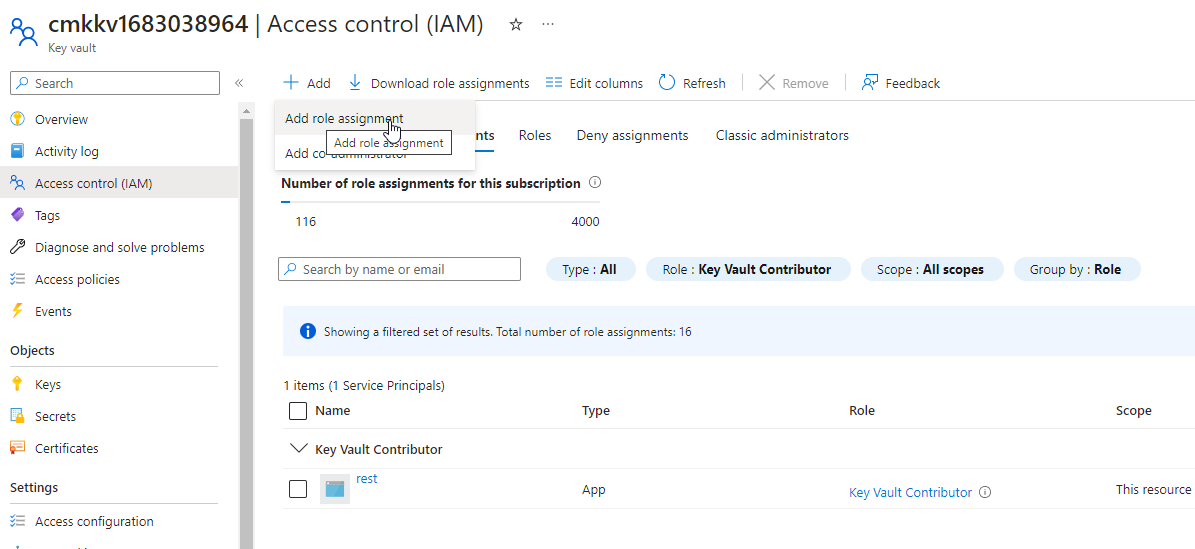
When you are on the 'Encryption' tab in the Marketplace wizard, create an empty keyvault, preferably in the resource group where the Ixivault Managed application resource is located. Make sure that 'Purge protection is enabled' (with any retention period between 7 and 90 days) and that the resource access 'Azure Disk Encryption for volume encryption' are set. The subscription and location of the keyvault should be the same as Ixivault. At this stage a service principal is already created in the 'Settings' tab for the REST API. Add in the IAM tab of the keyvault the REST API with the role 'Key Vault Contributor':
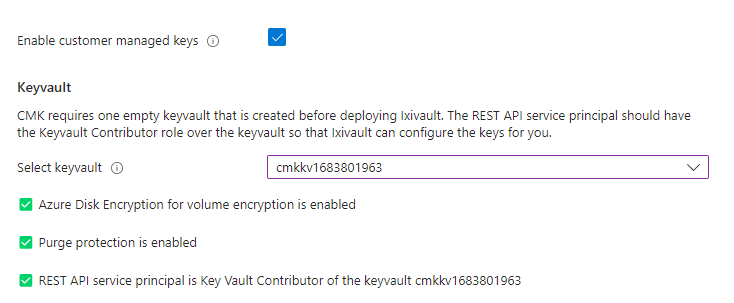
Now you can check 'Enable customer managed keys' and select the keyvault that you just created. If the IAM role is set correctly a green checkmark appears.
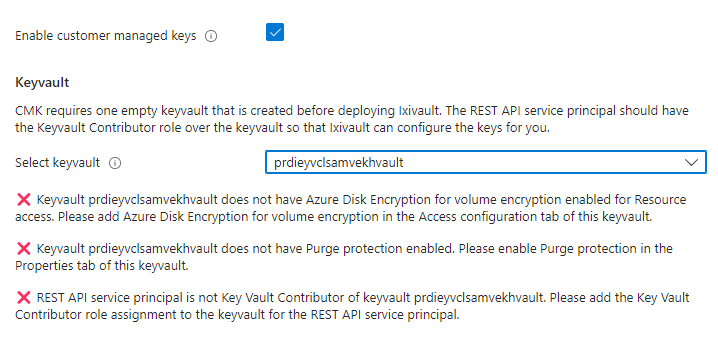
If the IAM role is not created correctly a red cross appears. Check in this case the IAM tab of the keyvault and check if the REST API service principal is set to the 'Key Vault Contributor' role.
TIP
For any questions regarding planning and configuring of the Ixivault customer managed key integration contact the SynerScope Support Team (opens new window)